先看效果
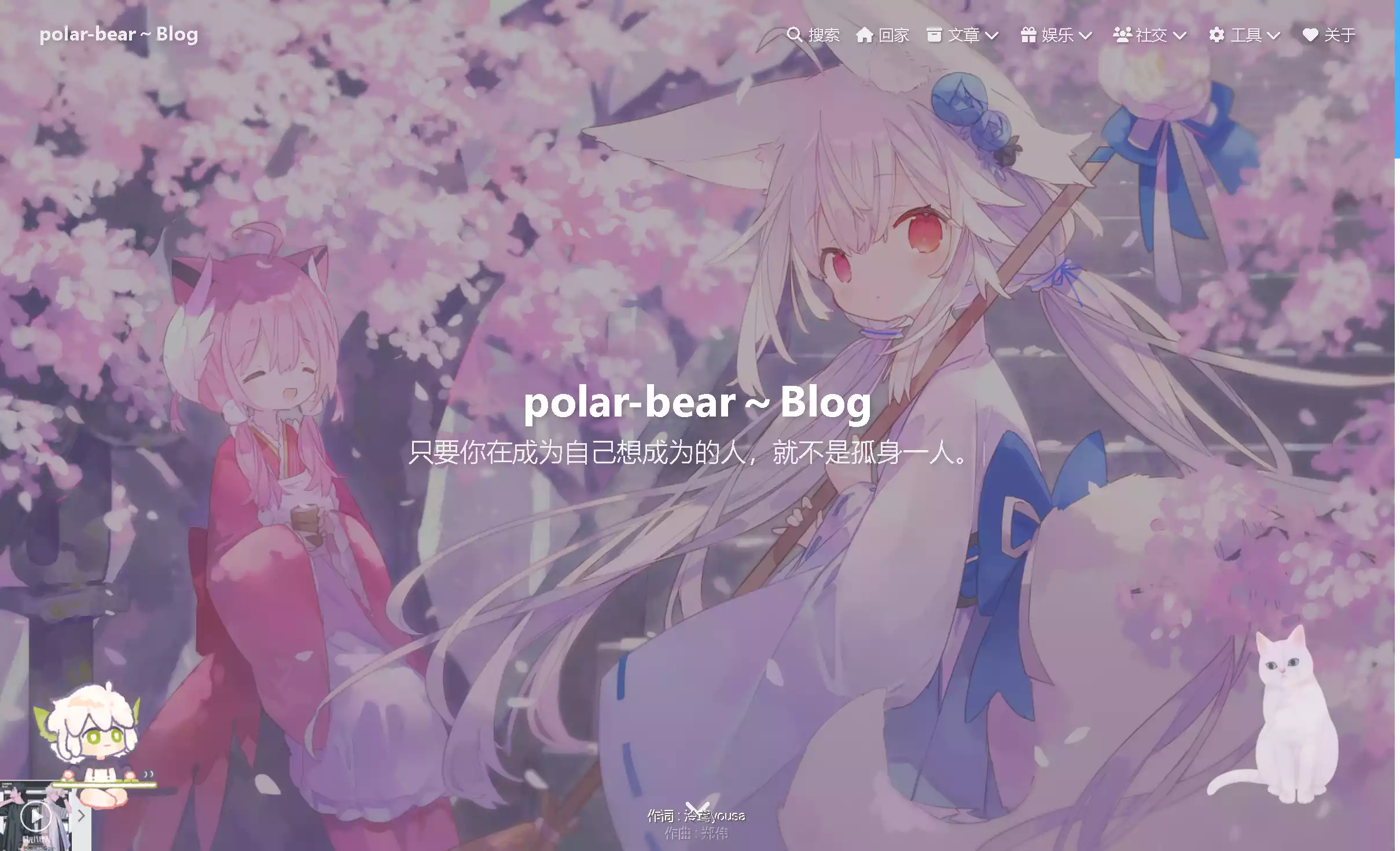
使用插件hexo-oh-my-live2d
在hexo根目录运行
1
| npm install hexo-oh-my-live2d
|
以安装hexo-oh-my-live2d
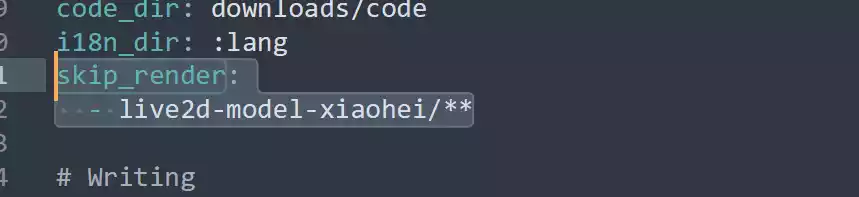
在_config.yml 的 skip_render 添加模型文件夹 防止编译出错
1
2
| skip_render:
- live2d-model-xiaohei/**
|
修改_config.yml文件
1
2
3
4
5
6
7
8
9
10
11
12
13
14
15
16
17
18
19
20
21
22
23
24
25
26
27
28
29
30
31
32
33
34
35
36
37
38
39
40
41
42
43
44
45
46
47
48
| OhMyLive2d:
enable: true
CDN: https://npm.elemecdn.com/[email protected]/dist/index.min.js
option:
source: 'https://npm.elemecdn.com'
mobileShow: true # 手机端是否展示
sayHello: false
transitionTime: 1000
models:
- scale: 1.2
path: /[email protected]/assets/koharu.model.json
x: 0
'y': 0
stageStyle:
backgroundColor: 'rgba(0, 0, 0, 0)'
width: auto
height: auto
- scale: 1.2
path: /[email protected]/assets/haruto.model.json
x: 0
'y': 0
stageStyle:
backgroundColor: 'rgba(0, 0, 0, 0)'
width: auto
height: auto
tips:
style:
width: 230
height: 120
offsetX: 0
offsetY: 90
idleTips:
interval: 15000
# remote: false # 自定义
remote: |
function() {
return new Promise((resolve, reject) => {
$.ajax({
type: 'get',
url: 'https://v1.hitokoto.cn?c=i',
dataType: 'json',
success: res => {
// console.log(res);
resolve({text: res.hitokoto});
}
});
});
}
|
css文件修改
1
2
3
4
5
6
7
8
9
10
11
12
13
14
15
16
17
18
19
20
21
22
23
24
25
26
27
28
29
30
31
| /* live2d 模型居右 */
#oml-stage {
right: 60px !important;
left: auto !important;
z-index: 30 !important;
}
/* live2d tips 深色 */
[data-theme='dark'] #oml-tips {
background-color: #121212;
border: 2px solid rgba(255, 255, 255, 0.3);
/* filter: drop-shadow(0 0 5px #999); */
filter: none;
}
/* live2d 左边提示 深色 */
[data-theme='dark'] #oml-levitated-btn {
background-color: #121212;
border-style: solid;
border-width: 2px 2px 2px 0px;
border-color: rgba(255, 255, 255, 0.3);
box-shadow: 0 0 4px #999;
}
/* live2d 切换按钮 深色 */
[data-theme='dark'] #oml-controls .oml-control-item {
background-color: #1f1f1f;
}
[data-theme='dark'] #oml-controls .oml-control-item:hover {
background-color: #787878;
}
[data-theme='dark'] #oml-controls .oml-control-item svg {
color: rgba(255, 255, 255, 0.7);
}
|
例如
我使用的模型放在根目录\source\live2d-model-xiaohei\目录下
模型文件为黑崽生日快乐2023.model3.json
模型公开,来自【免费live2d.【罗小黑使用指南】手机+电脑】
(超爱小黑)
文档配置文件为
1
2
3
4
5
6
7
8
9
10
11
12
13
14
15
16
17
18
19
20
21
22
23
24
25
26
27
28
29
30
31
32
33
34
35
36
37
38
39
40
41
| ## moc3
OhMyLive2d:
enable: true
CDN: https://npm.elemecdn.com/[email protected]/dist/index.min.js
option:
source: ''
mobileShow: true # 手机端是否展示
sayHello: false
transitionTime: 1000
models:
- scale: 1.2
path: /live2d-model-xiaohei/黑崽生日快乐2023.model3.json
x: 0
'y': 0
stageStyle:
backgroundColor: 'rgba(0, 0, 0, 0)'
width: auto
height: auto
tips:
style:
width: 230
height: 120
offsetX: 0
offsetY: 90
idleTips:
interval: 15000
# remote: false # 自定义
remote: |
function() {
return new Promise((resolve, reject) => {
$.ajax({
type: 'get',
url: 'https://v1.hitokoto.cn?c=i',
dataType: 'json',
success: res => {
// console.log(res);
resolve({text: res.hitokoto});
}
});
});
}
|

最后就得到live2d模型啦
自定义配置可以看oh-my-live2d 官网: https://oml2d.com/

 wechat
 Alipay