
cloudflare加速onedrive文件下载
cloudflare加速onedrive文件下载
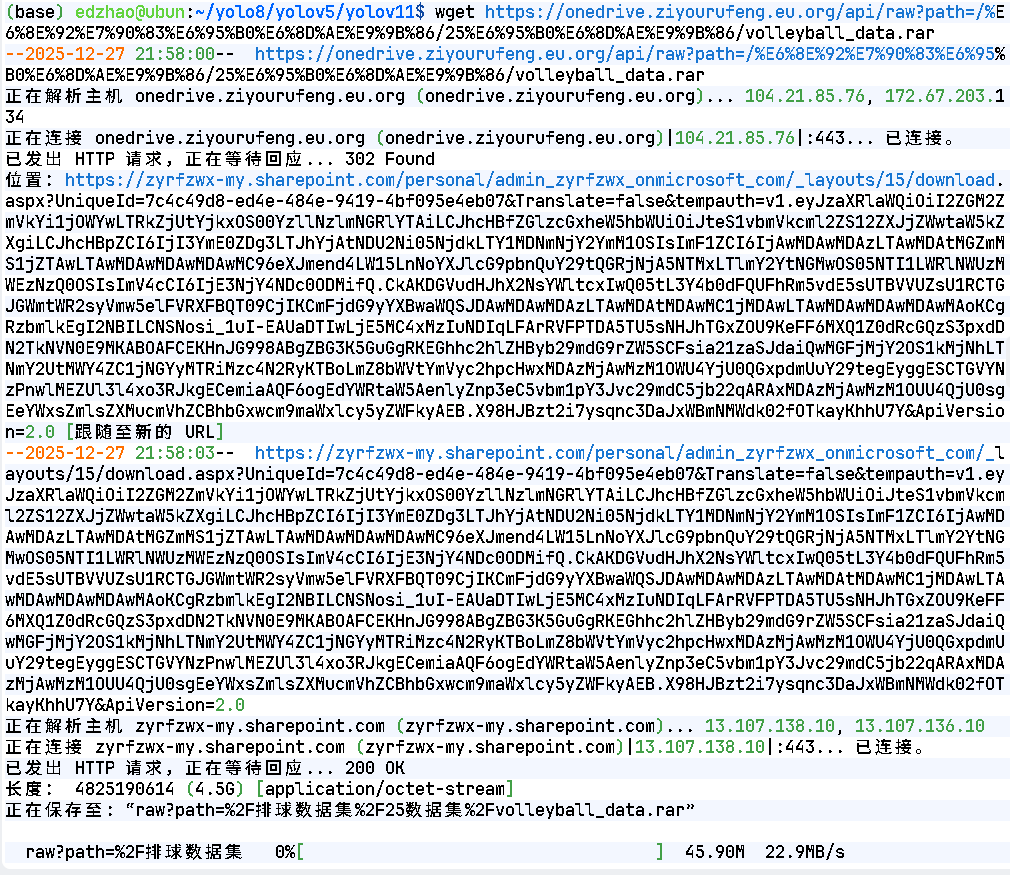
开始
首先fork仓库到本地,fork后不可转私有,可以先download下再自建私有库。
快速开始Getting started - OneDrive Vercel Index(注:该配置文档为OneDrive-Vercel-Index项目,现在配置项目onedrive-cf-index-ng为该项目二开,具体配置差异以onedrive-cf-index-ng文档为主。)
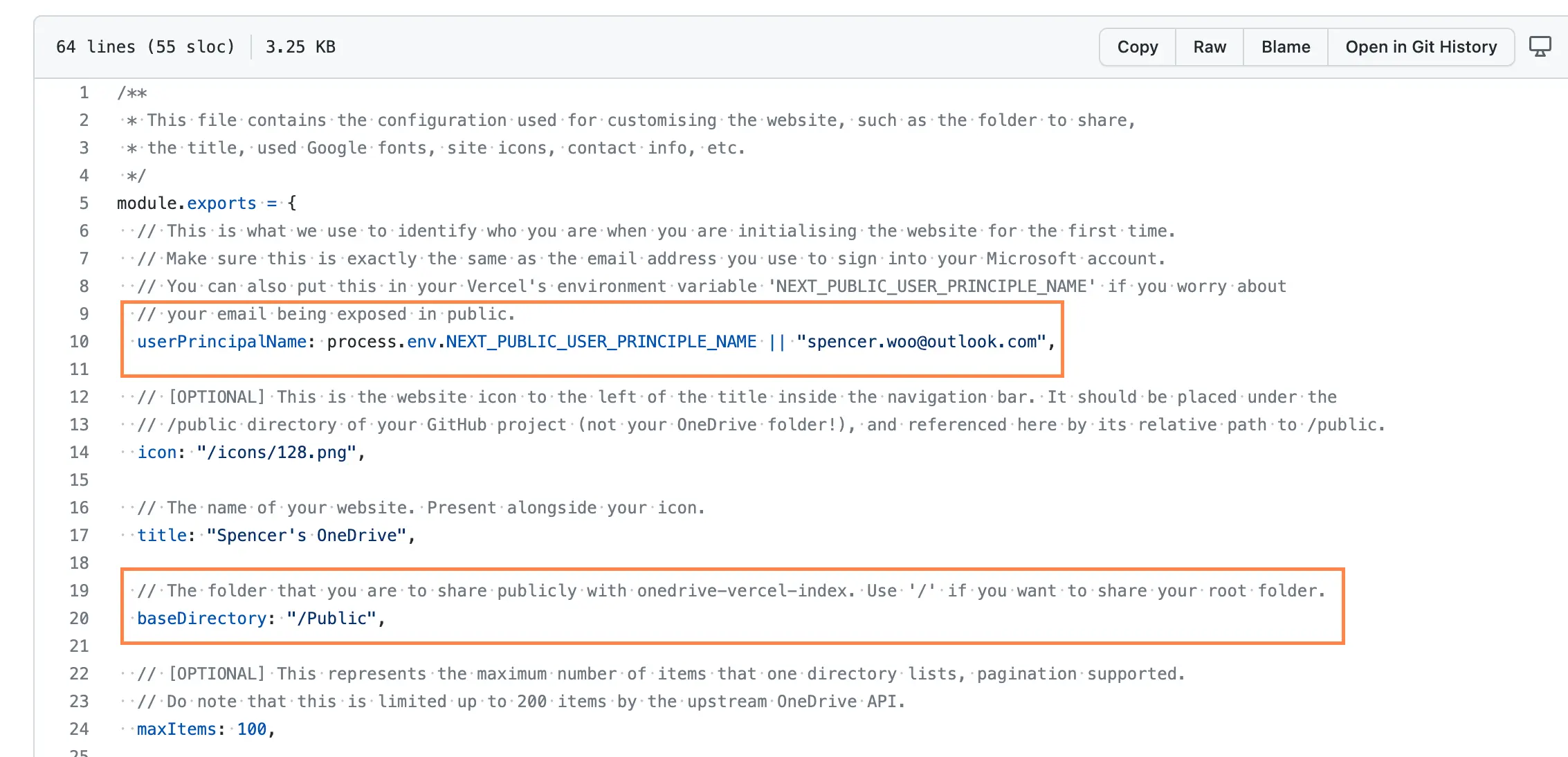
修改config/site.config.js
userPrincipalName- 用于验证你的身份,需要与认证的onedrive用户名一致。baseDirectory使用 OneDrive-vercel-index 共享的基础文件夹,设置共享目录可防止其他文件在互联网上公开。
修改config/api.config.js
如果你是 OneDrive 国际版用户(不是 OneDrive 商务或教育版,也不是 SharePoint 用户,也不是 Microsoft 365 E5 用户),你可以忽略这一步,保持不动。
- OneDrive 世纪互联用户的 API 路由与我们通常使用的不同,你需要更改并:
authApi``driveApi
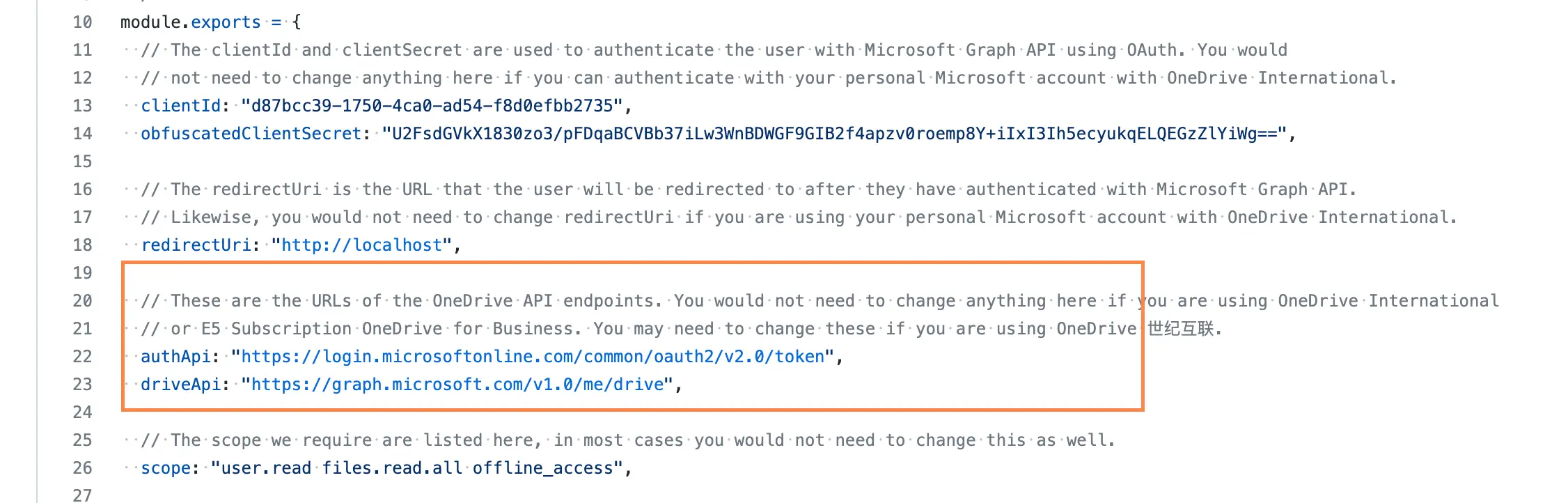
把它们改成:
1 | authApi: "https://login.partner.microsoftonline.cn/common/oauth2/v2.0/token", |
- OneDrive 商务、教育账户和 E5 订阅账户需要确认是否有管理员权限
配置可访问Advanced - OneDrive Vercel Index
开始配置Azure应用
- Microsoft Azure 应用注册(适用于 OneDrive 国际版、OneDrive 商务版或教育版),或者…
- Microsoft Azure.cn 应用注册 (OneDrive 世纪互联版本)
参考密钥配置文档:高级版 - OneDrive Vercel 索引
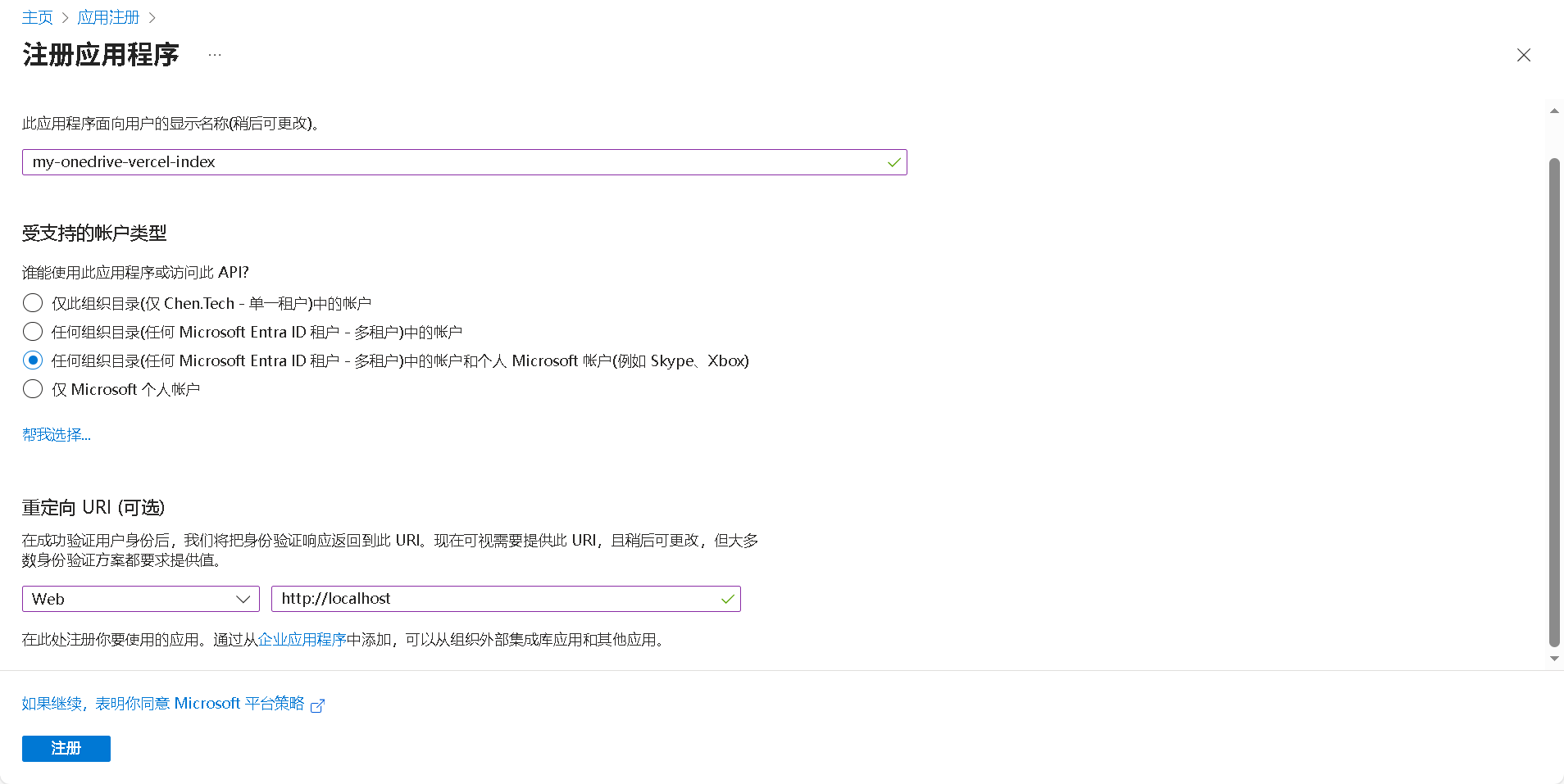
用你的 Microsoft 账户登录,选择新注册。
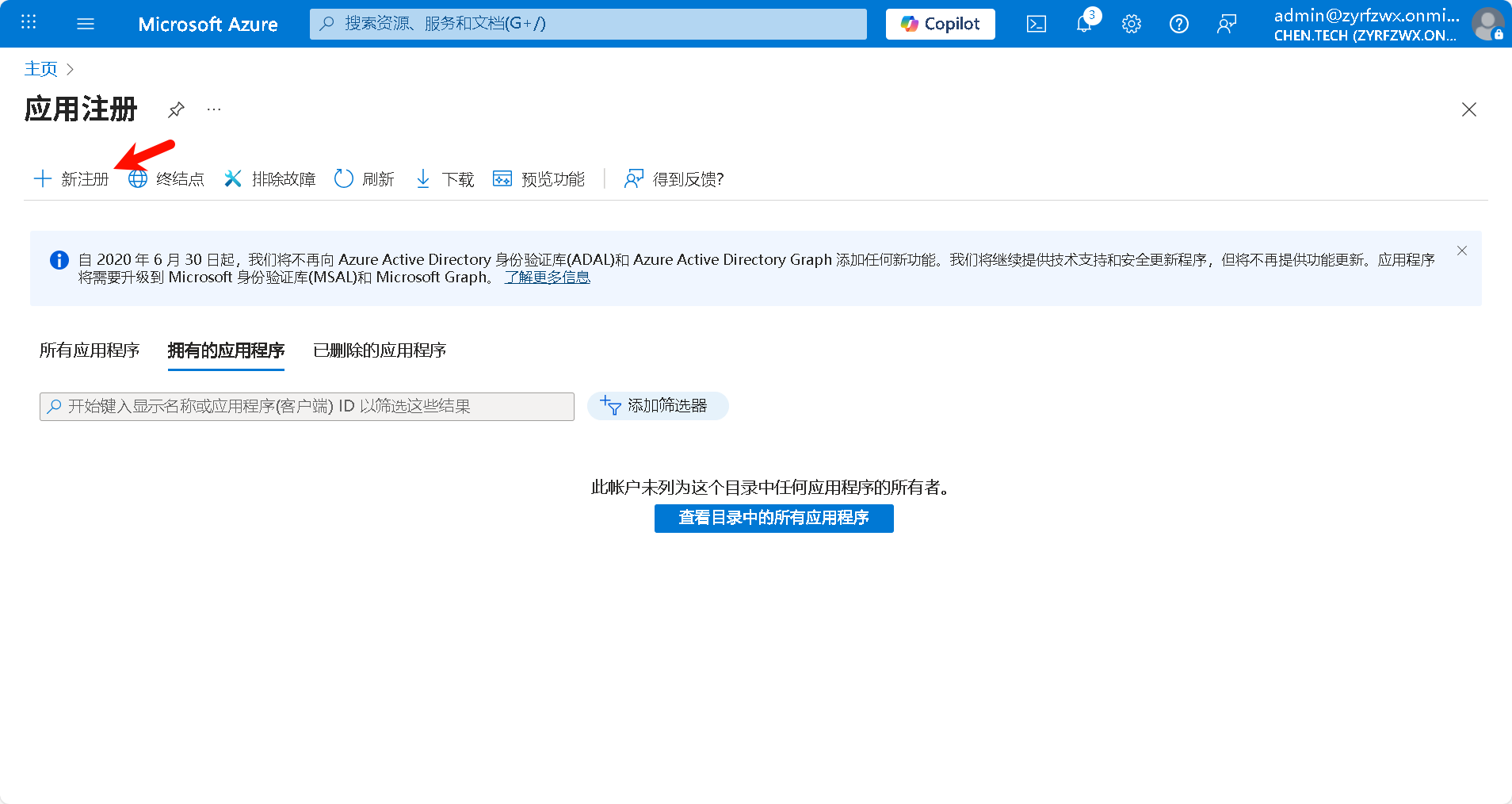
创建应用随意名称my-onedrive-vercel-index
将支持账户类型设置为:
1 | Accounts in any organizational directory (Any Azure AD directory - Multitenant) and personal Microsoft accounts (e.g. Skype, Xbox) |
将重定向URI(可选)设置为Web和(URL)http://localhost
获取你的客户身份证和密钥
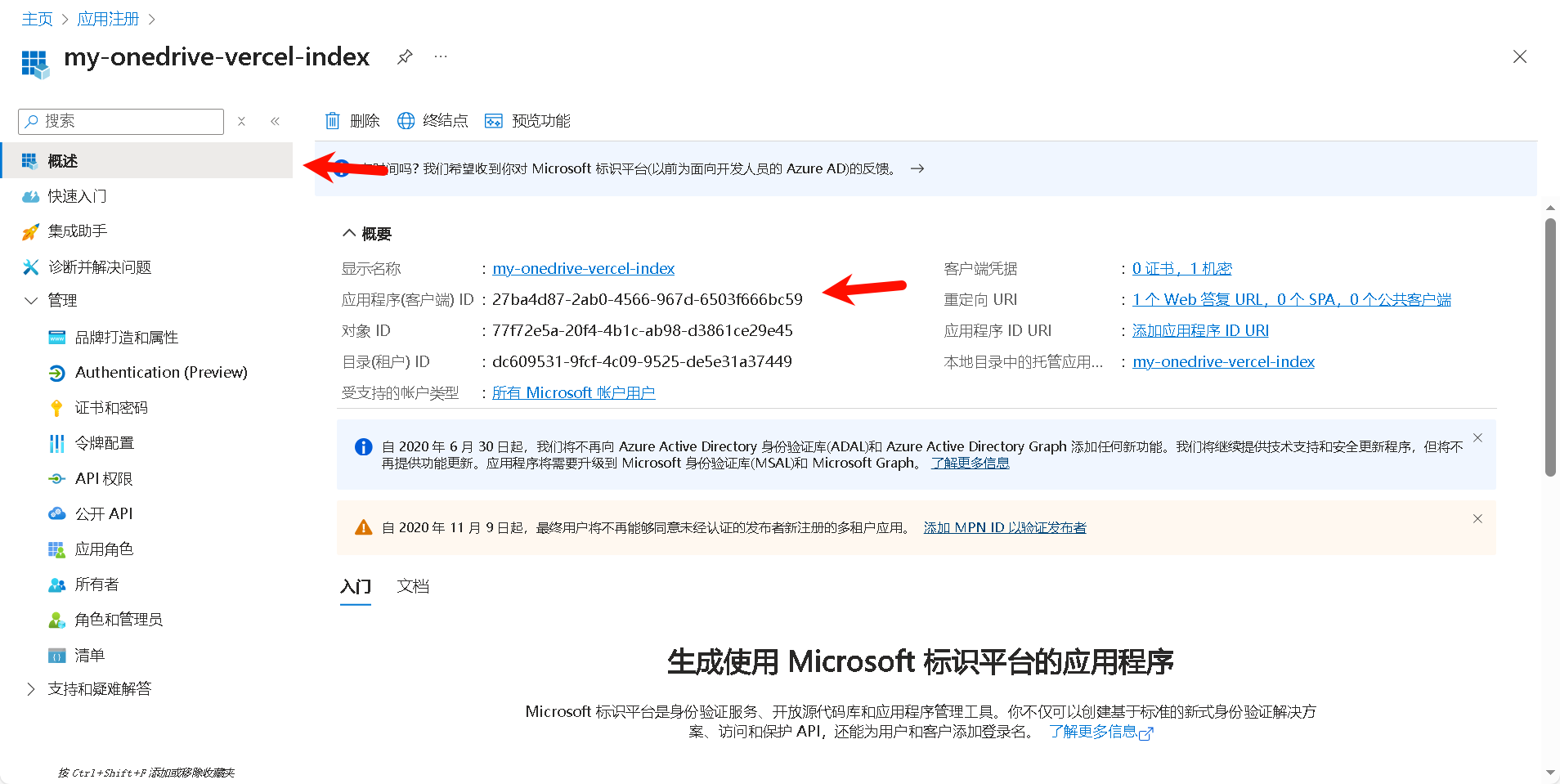
应用程序(客户端) ID即为配置config/api.config.js中的module.exports/clientId
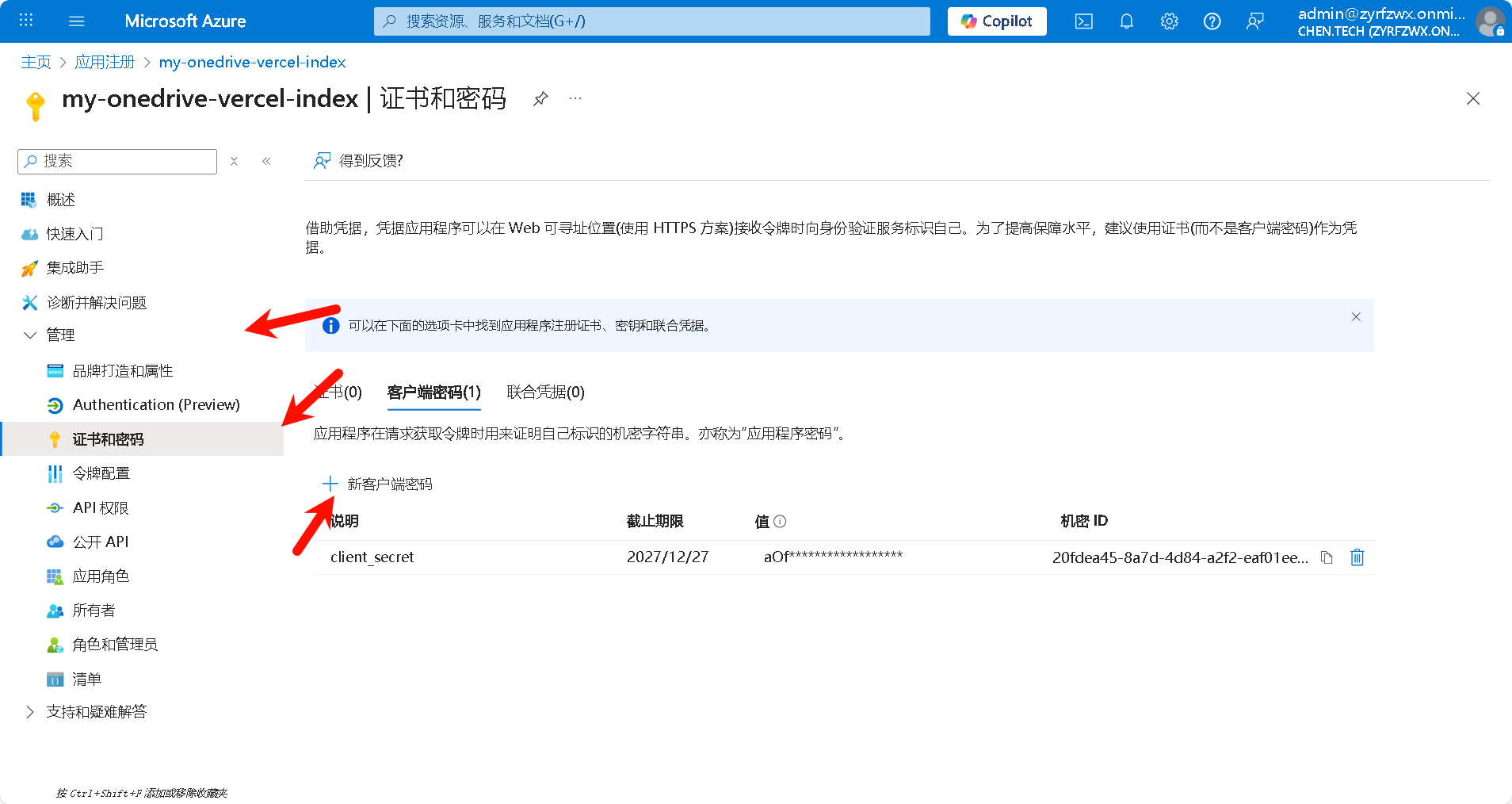
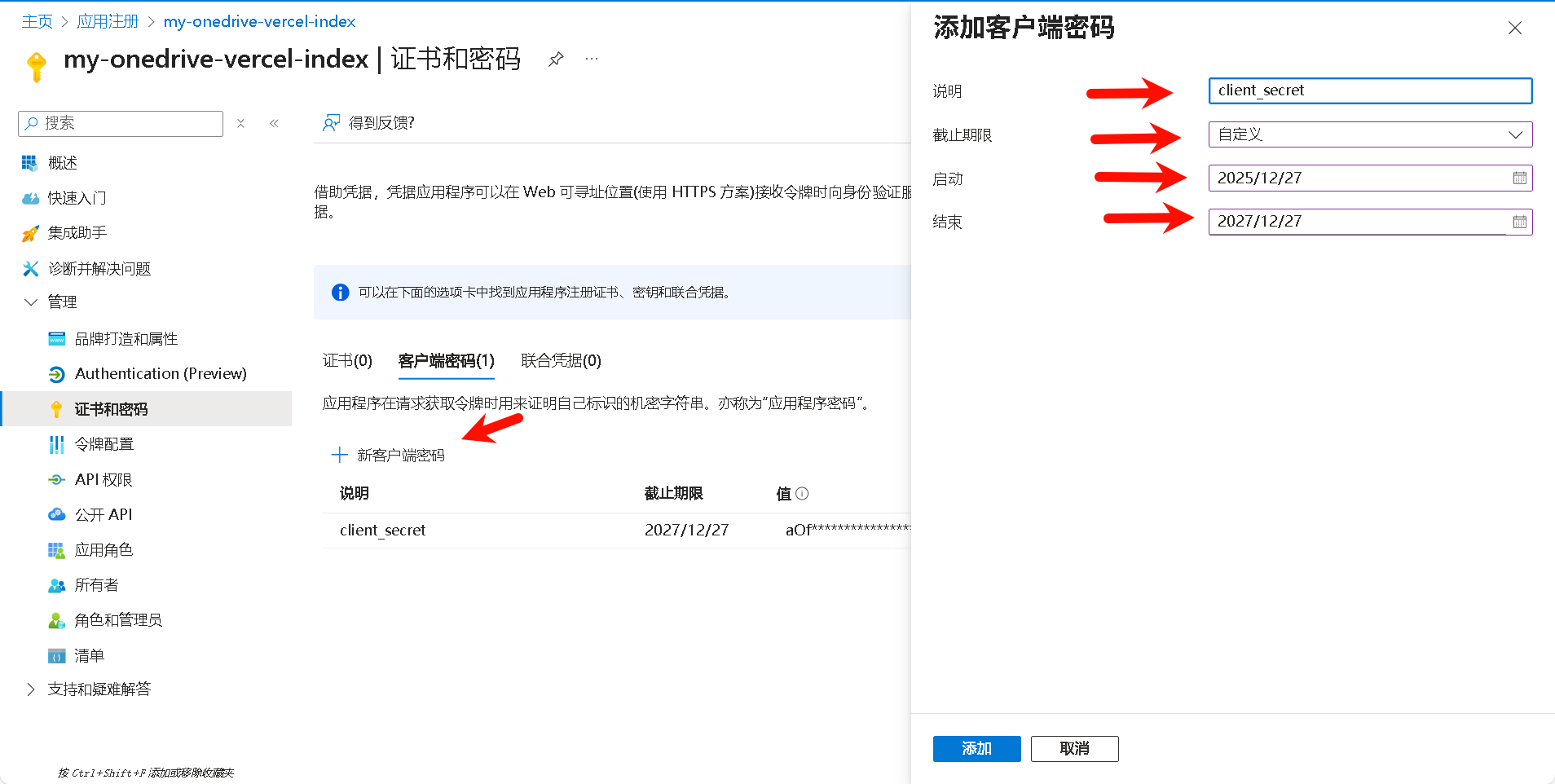
创建密钥,时间尽量拉长,最后,点击添加,复制client_secret的值(你只有这一次复制机会)。
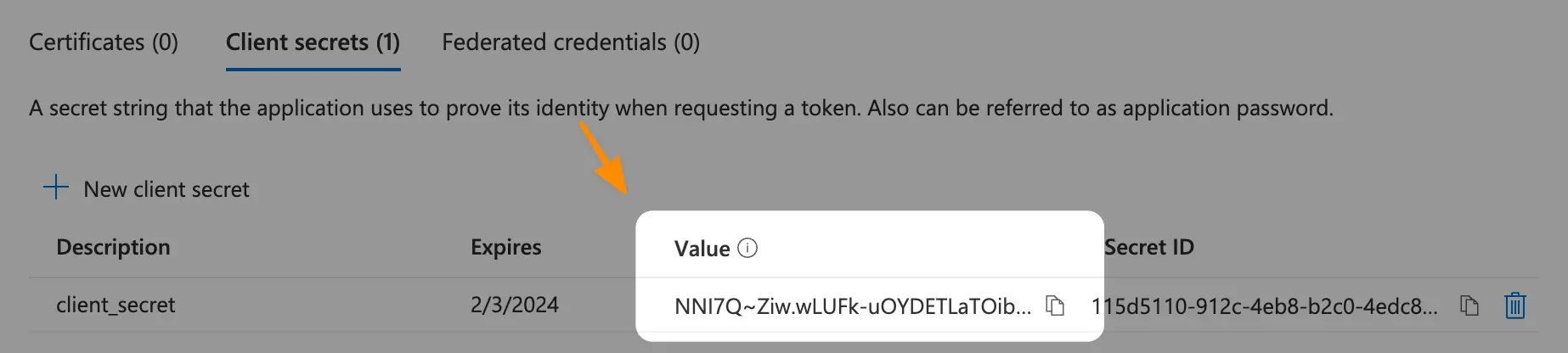
将得到的密钥在高级版 - OneDrive Vercel 索引中加密,得到类似于U2FsdGVkX1830zo3/pFDqaBCVBb37iLw3WnBDWGF9GIB2f4apzv0roemp8Y+iIxI3Ih5ecyukqELQEGzZlYiWg==的值。
该值即为配置config/api.config.js中的module.exports/obfuscatedClientSecret
cloudflare部署
入门 ·lyc8503/onedrive-cf-index-ng 维基
进入 Cloudflare Dashboard
创建 Pages 项目(注意是pages不是woker)
- 左侧菜单 → Workers & Pages → Create application → Connect to Git
- 选择你的 Fork 仓库(如
yourname/onedrive-cf-index-ng) - 分支:
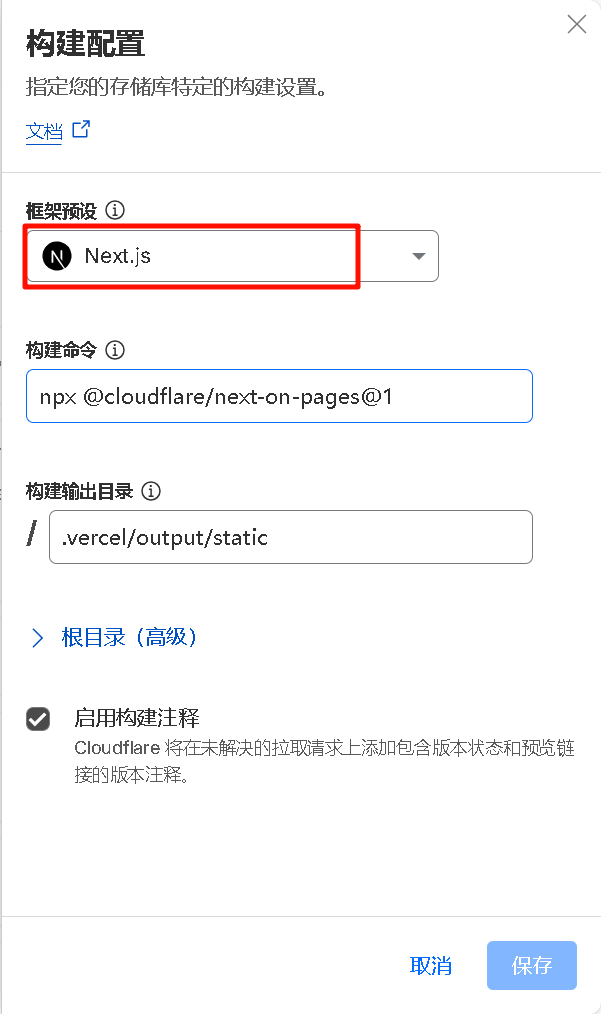
main - 构建设置:设置为Next.js即可
部署完成后应该会显示:xxx.pages.dev``Error: Could not access built-in Node.js modules. Please make sure that your Cloudflare Pages project has the 'nodejs_compat' compatibility flag set.
需要添加标志和KV
- 兼容性标志:设置为
nodejs_compat - 创建KV储存库并且绑定
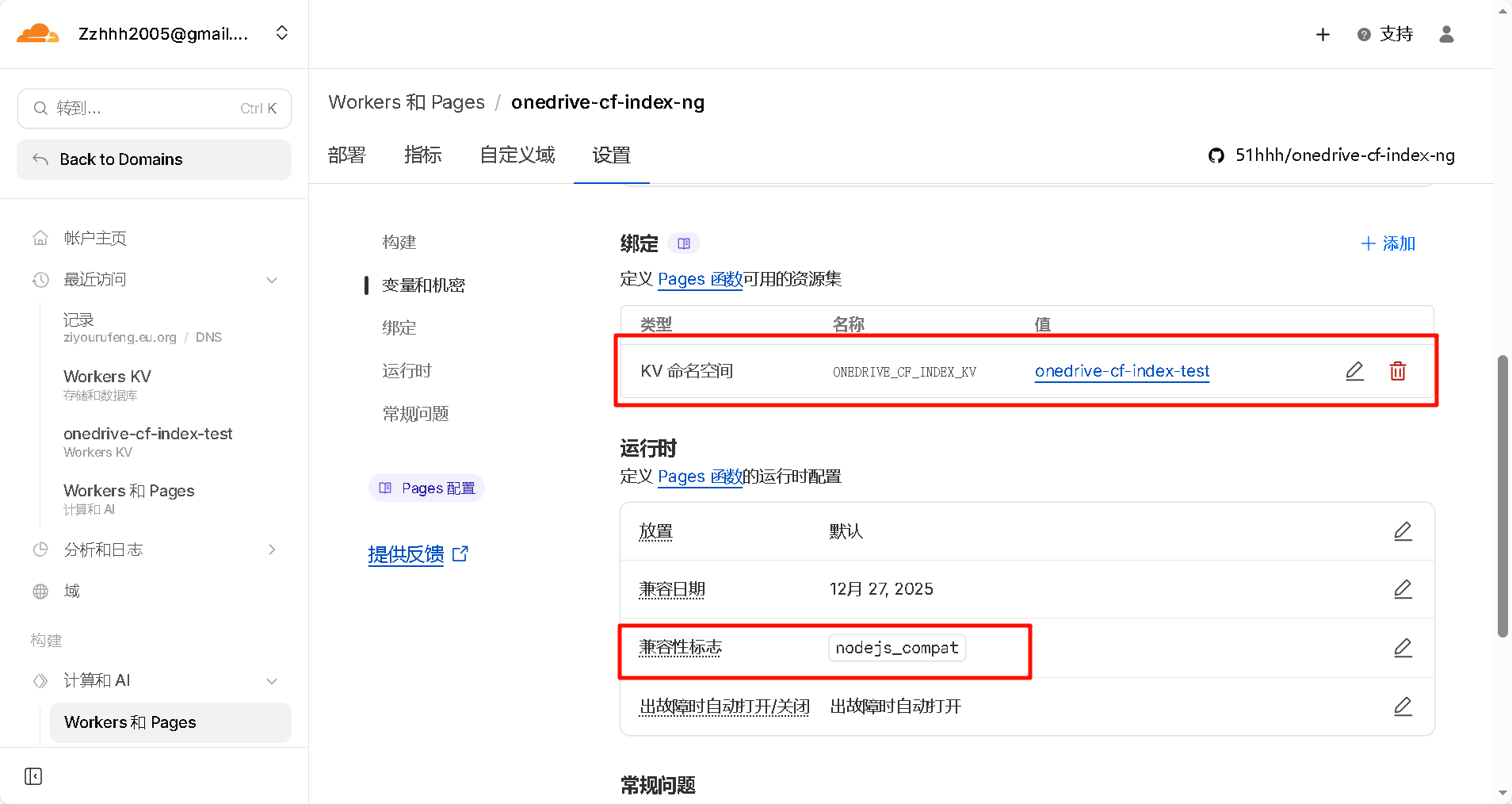
完成配置后重新部署即可
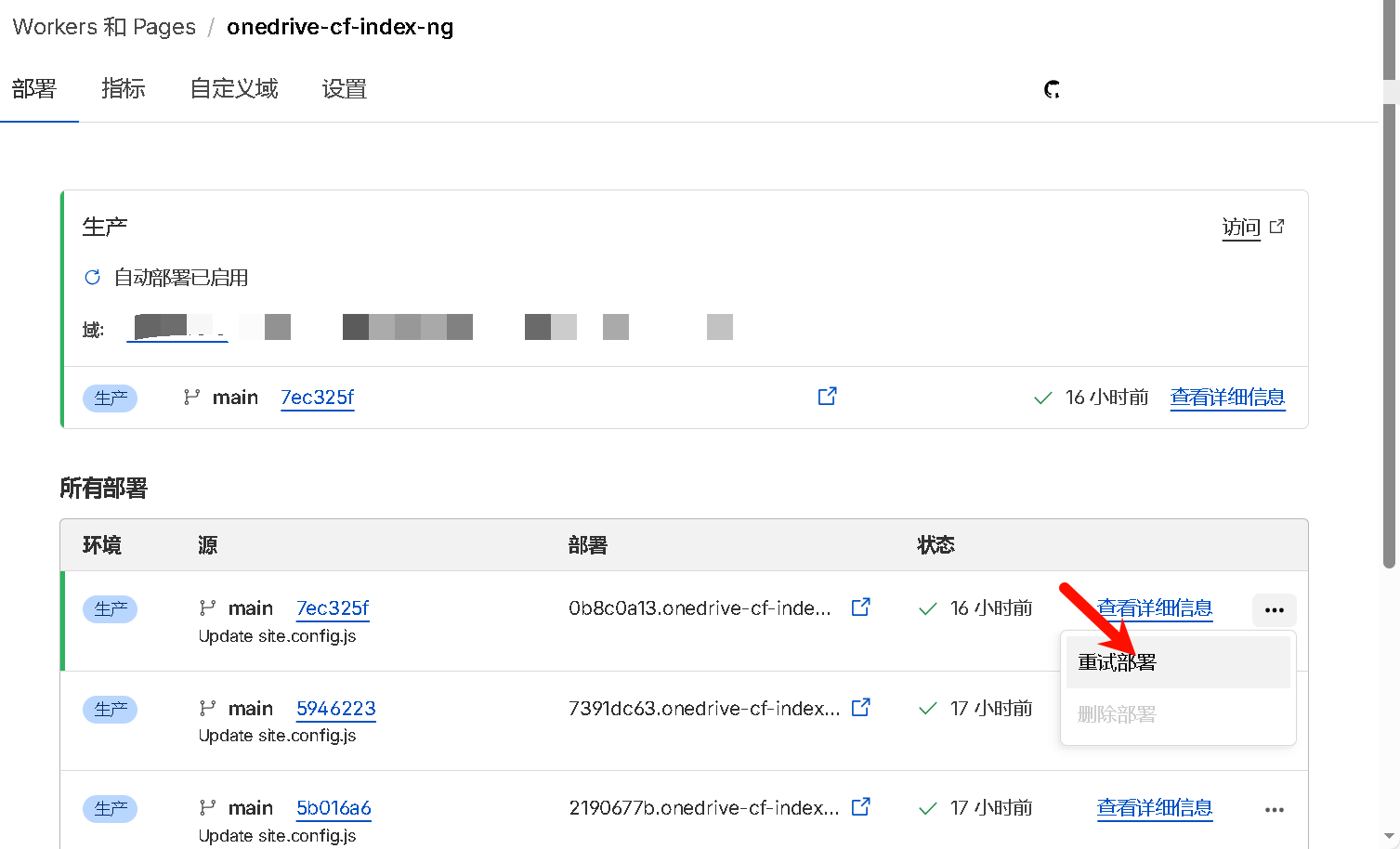
重新部署后应该能够正确访问,接下来是OneDrive绑定认证
 wechat
 Alipay