
RDK S100P的种种
资料
dtop
Jetson有Jtop,Linux有Htop,RDK也有Dtop! - 板卡使用 - 地瓜机器人论坛
参考教程
万字长文,学妹吵着要学的RDKS100模型量化及部署,你确定不学? - SkyXZ - 博客园
官方示例猴子脚本
官方示例量化脚本
rdk_model_zoo_s/samples/Vision/Ultralytics_YOLO/x86/mapper.py at s100 · D-Robotics/rdk_model_zoo_s
官方示例量化配置yaml
环境部署
万字长文,学妹一看就会的RDKS100模型量化及部署_rdk s100-CSDN博客
不推荐手动部署,建议直接bash ./run_docker.sh data/
模型量化
这部分容易出错,建议先跑跑官方示例练练手。
需要着重注意量化配置中,各种输入输出格式,颜色通道。
yolov8模型量化(示例)
待完善。。。
万字长文,学妹吵着要学的RDKS100模型量化及部署,你确定不学? - SkyXZ - 博客园
yolov11模型量化
首先准备yolov11模型
转onnx
1 | # yolo11_to_onnx.py |
hb_compile算子检测
使用hb_compile检测BPU算子支持,S100 用 nash-e,S100P 用 nash-m
1 | hb_compile \ |
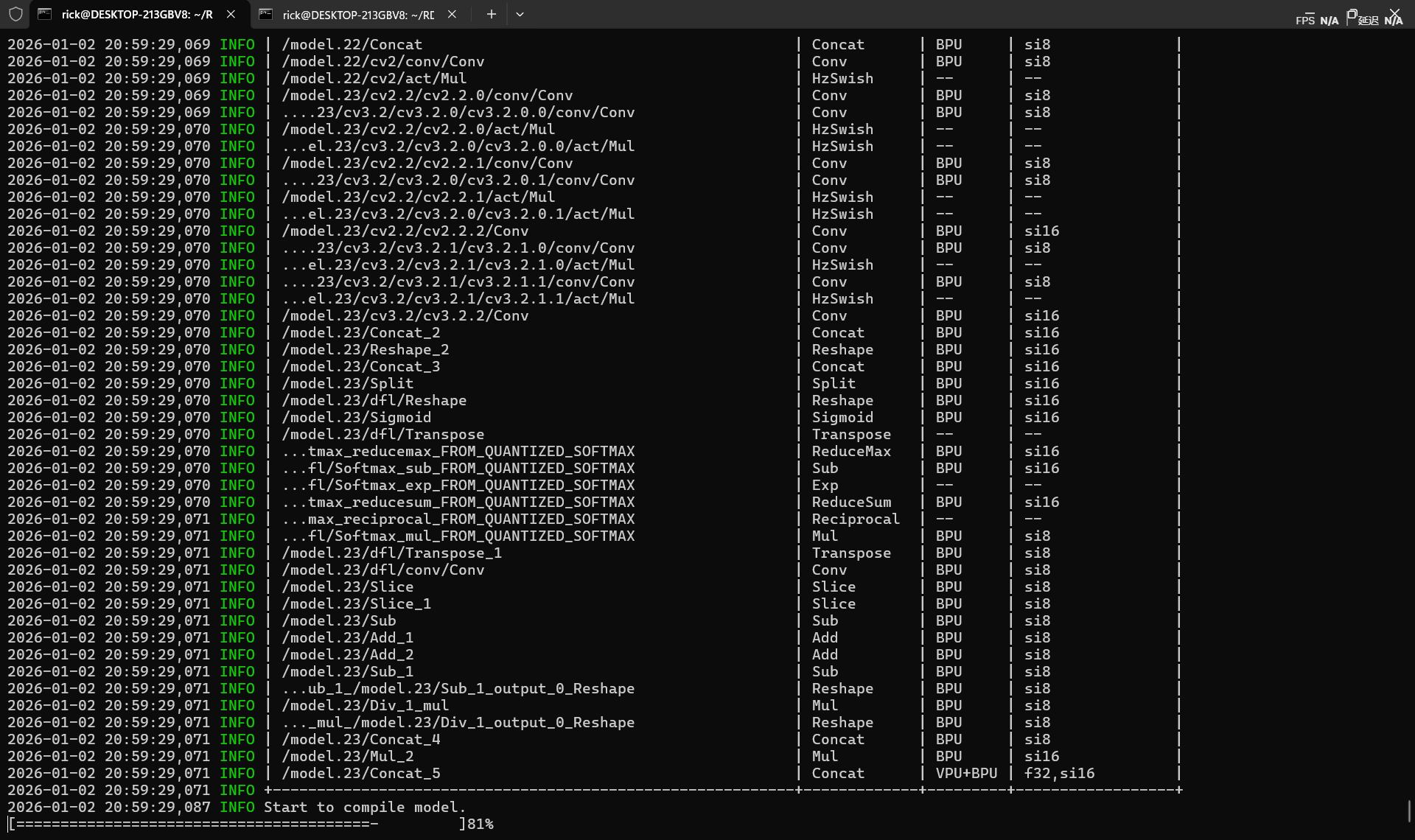
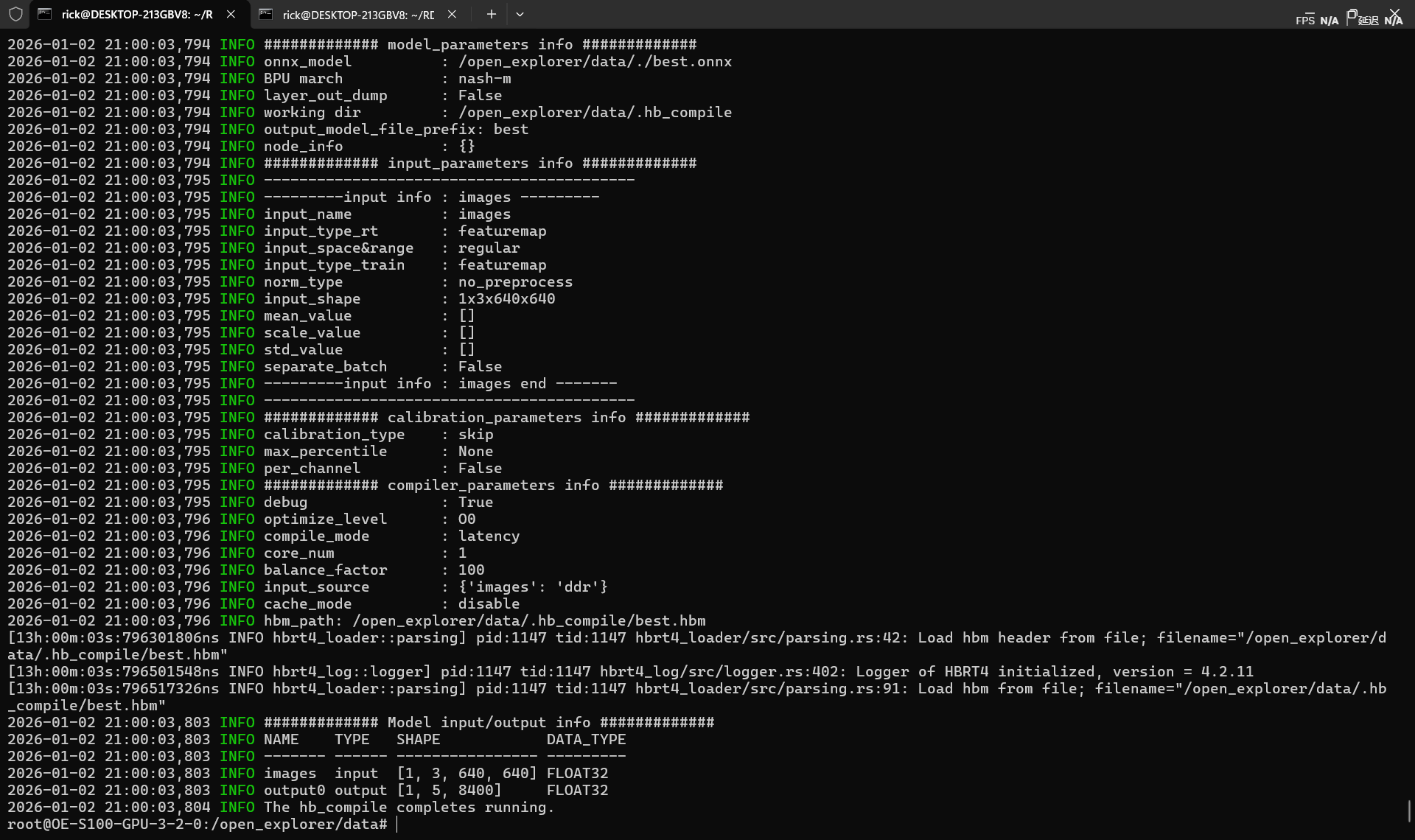
算子测试表格中需要查看是否所有算子都被BPU,VPU支持,--表示算子被前后融合计算,是正常情况,需要留意的是是否存在CPU算子,性能损失见模型性能调优 - OpenExplorer
算子不支持
S100 Torch算子BPU约束列表 - OpenExplorer
算子不支持是BPU常态,若退回CPU执行,将会导致模型性能严重降低。
- CPU算子处于模型中部
对于CPU算子处于模型中部的情况,建议您优先尝试参数调整、算子替换或修改模型。 - CPU算子处于模型首尾部
对于CPU算子处于模型首尾部的情况,请参考以下示例,下面以量化/反量化节点为例:
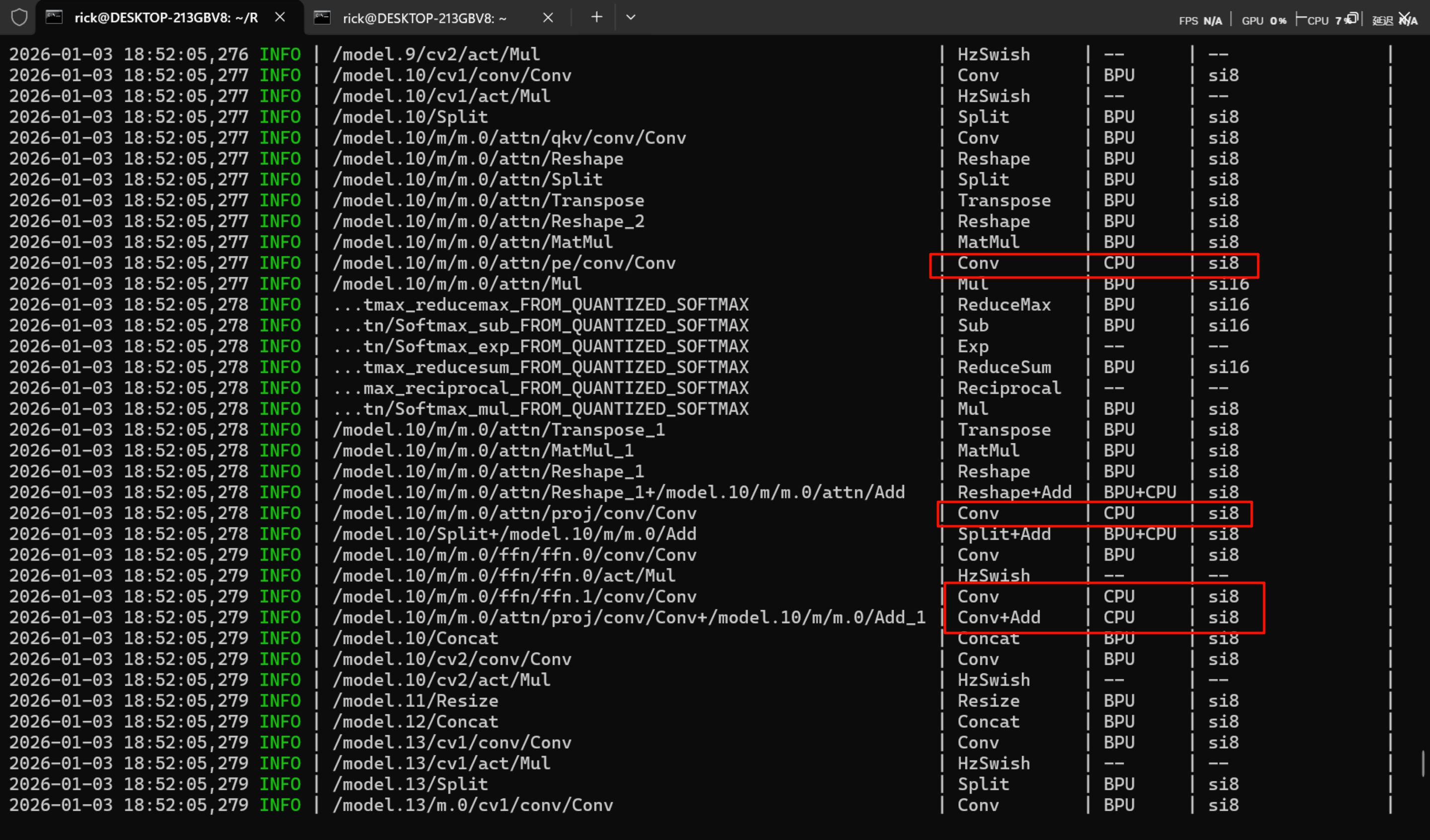
邪恶C2PSA算子
例如在yolov11中,模型架构为
1 | # YOLO11n backbone |
其中的C2PSA正是导致模型算子不能被bpu完全支持,对于处于中部的邪恶C2PSA算子只能使用替换模型的方式。
C2PSA(Cross Stage Partial with Pyramid Squeeze Attention)是YOLO11新增的核心模块,结合CSP结构与注意力机制:
- CSP 结构 (Cross Stage Partial)****:特征分流,一部分走深层网络,一部分直接连接。 -> 所有方案都通过 C3k2 实现了这一点。
- Pyramid (金字塔/多尺度感知):原模型通过不同核大小的卷积或分层处理来获取不同感受野。
- PSA (Position-Sensitive Attention):位置敏感注意力,关注“哪里是重点”以及“哪个通道是重点”。
替换方案
纯 C3k2 方案
结构:[-1, 3, C3k2, [1024, True]]
优点:速度最快,完全无缝兼容 BPU。
缺点:严重缺失注意力机制。它只是单纯加深了网络,依靠卷积层的堆叠来“隐式”地学习特征,没有显式地告诉网络“去关注某个位置”。
还原度:50%。只保留了 CSP 和卷积提取,丢失了 C2PSA 的灵魂(Attention)。
C3k2 + CBAM 方案
结构:C3k2 + CBAM(k=7)
优点:CBAM 包含 CAM (通道注意力) 和 SAM (空间注意力)。其中 SAM 使用 7x7 卷积,能够提供较好的局部空间感知。
缺点:CBAM 的空间注意力是基于 7x7 局部窗口 的,它能看到周围一圈,但很难像 PSA 那样捕捉长距离(Long-range) 的依赖关系。
还原度:80%。补全了空间和通道注意力,但在“全局位置感知”上略逊一筹。
C3k2 + CoordAtt 方案 (理论最佳匹配)
结构:C3k2 + CoordAtt
核心优势:C2PSA 的核心词是 “Position-Sensitive” (位置敏感)。
CoordAtt 的原理:它通过分别对 X 轴 和 Y 轴 进行全局池化,将全局的空间信息编码进两个方向的向量中。
对比 PSA:这与 PSA 试图建立长距离位置依赖的目标高度一致。相比 CBAM 的 7x7 局部视野,CoordAtt 拥有全图视野 (Global View),能更好地感知物体在画面中的绝对位置。
BPU 兼容性:极佳(Pool + 1x1 Conv)。
还原度:90%。这是在功能原理上最接近 PSA 的 BPU 友好型算子。
C3k2 + DWConvblock + CBAM 方案 (结构最全)
结构:C3k2 (特征) + DWConv(7x7) (大感受野) + CBAM (注意力)
核心优势:这个组合是物理级堆叠。
用 C3k2 还原 CSP。
用 DWConvblock(7x7) 还原 Pyramid (大卷积核模拟多尺度/大感受野)。
用 CBAM 还原 Attention。
缺点:太重了。Backbone 末端本身通道数就大 (1024),再串联三个模块,计算量(FLOPs)和延迟(Latency)会显著增加。虽然功能最全,但可能导致 FPS 下降较多。
还原度:95% (功能上最全,但效率最低)。
替换算子后模型全部支持BPU运算。
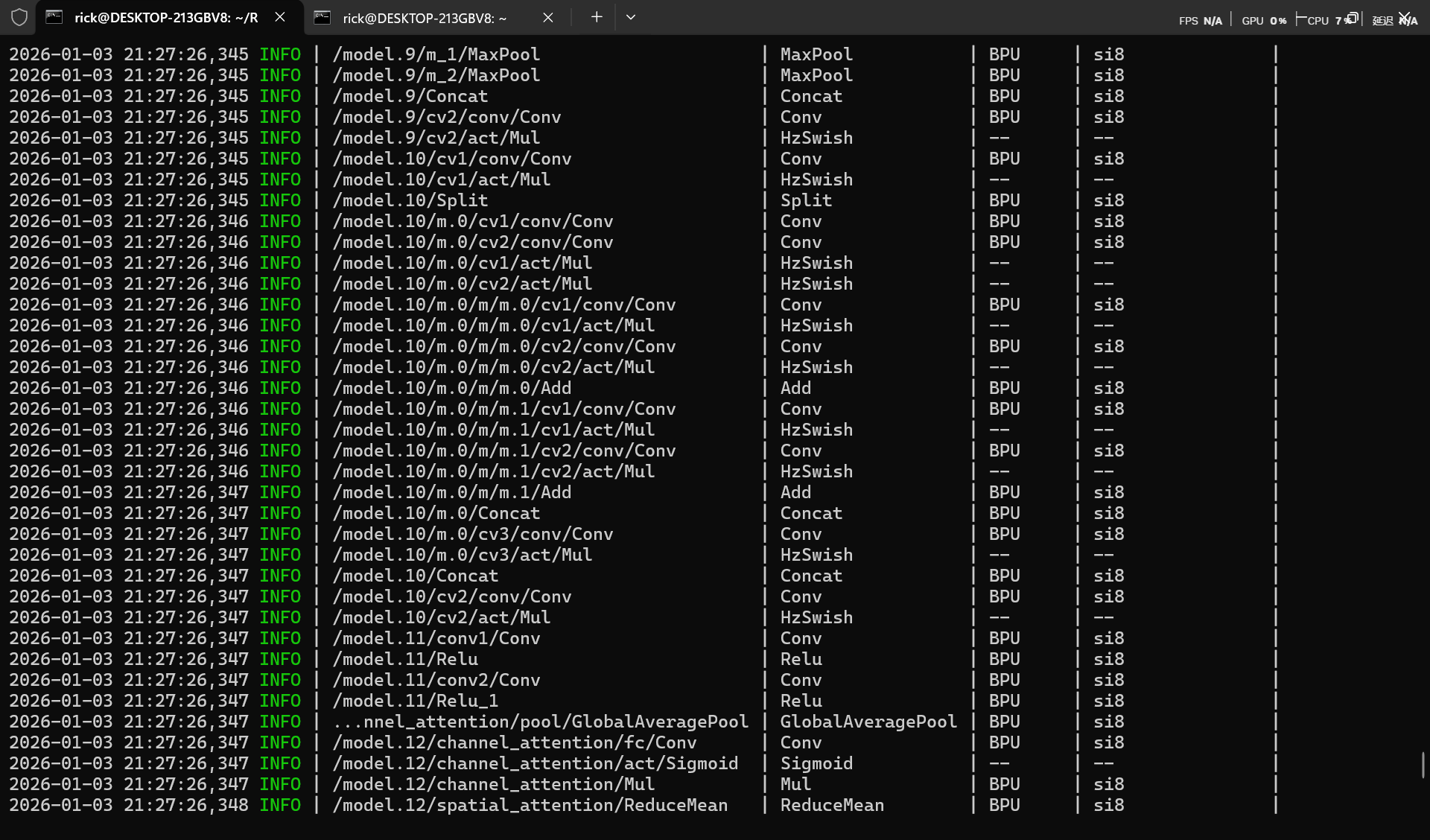
替换模型后onnx导出
更换部分算子后,需要手动添加ultralytics不包含的class,由于ultralytics不包含手动修改的算子,所以需要修改前面的onnx导出代码。
1 | import sys |
生成校验数据
注意此处生成校验数据容易出错,请仔细核对。
1 | import numpy as np |
hb_compile量化工具
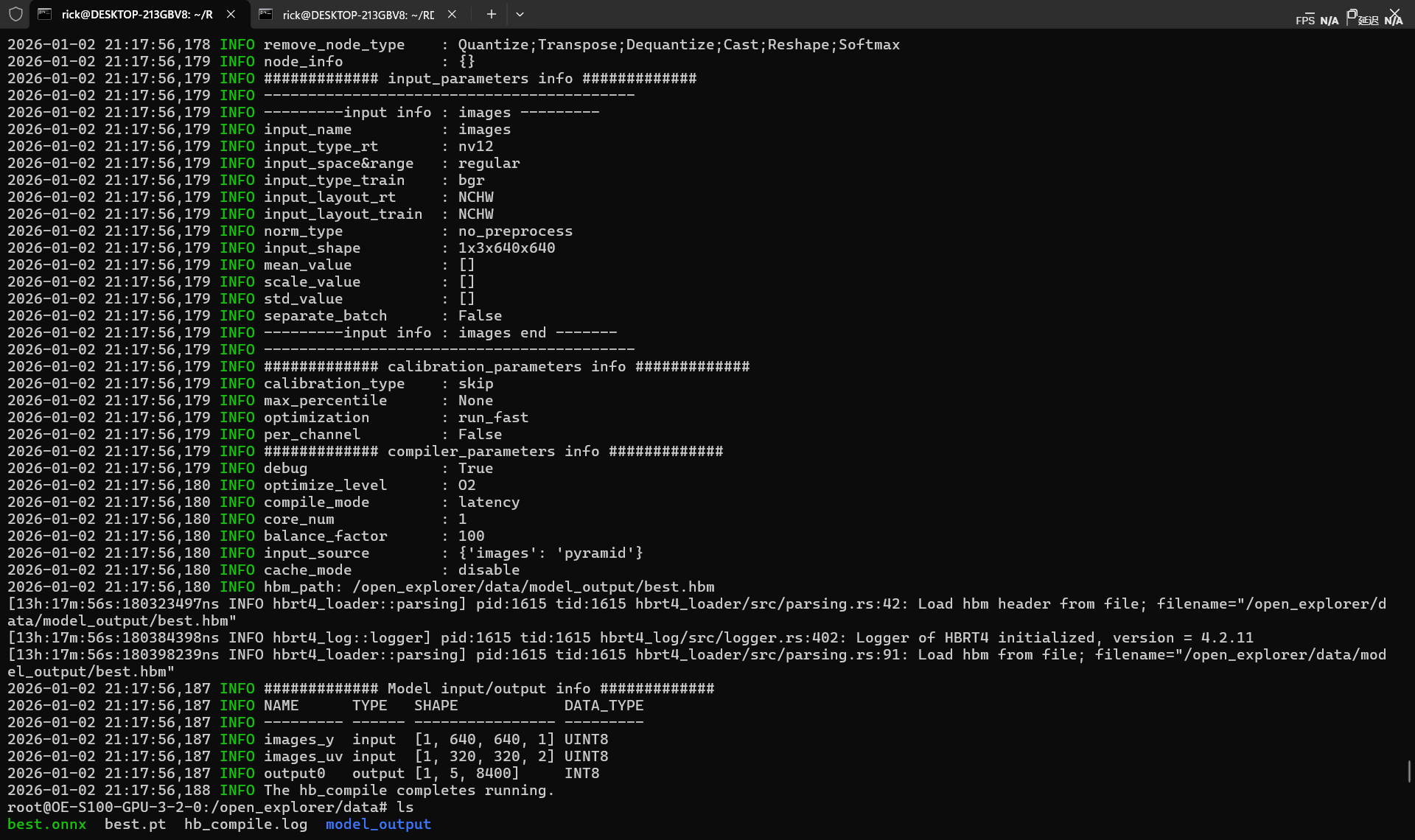
直接量化,快速性能评测模式(开启fast-perf),会转为int8-NV12模型。(建议还是添加校验数据的手动校准,详细参考官方文档)
1 | hb_compile --fast-perf \ |
自定义量化
创建yolo11_quantize.yaml
1 | # 模型参数组 |
允许hb_compile --config yolo11_quantize.yaml
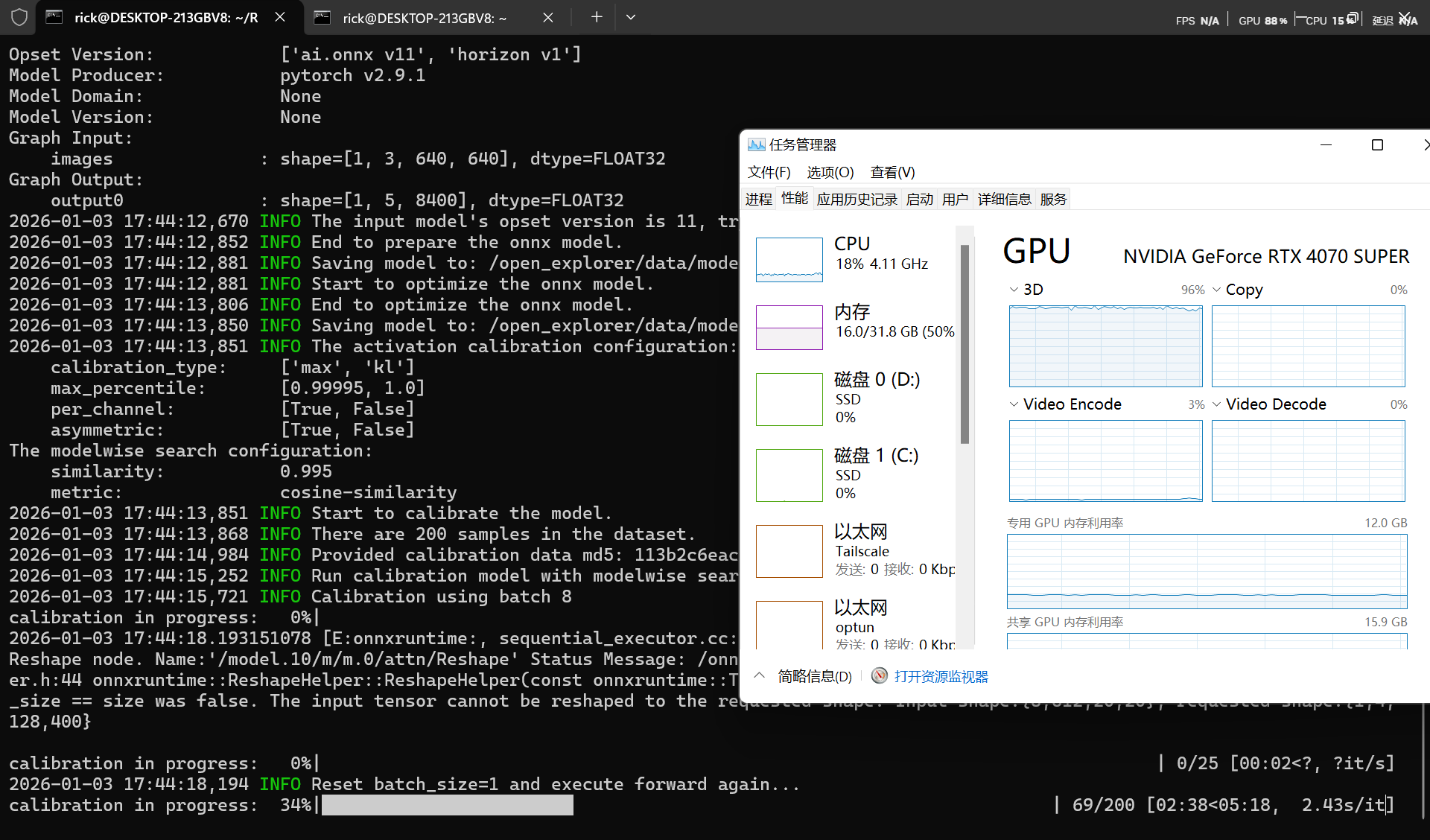
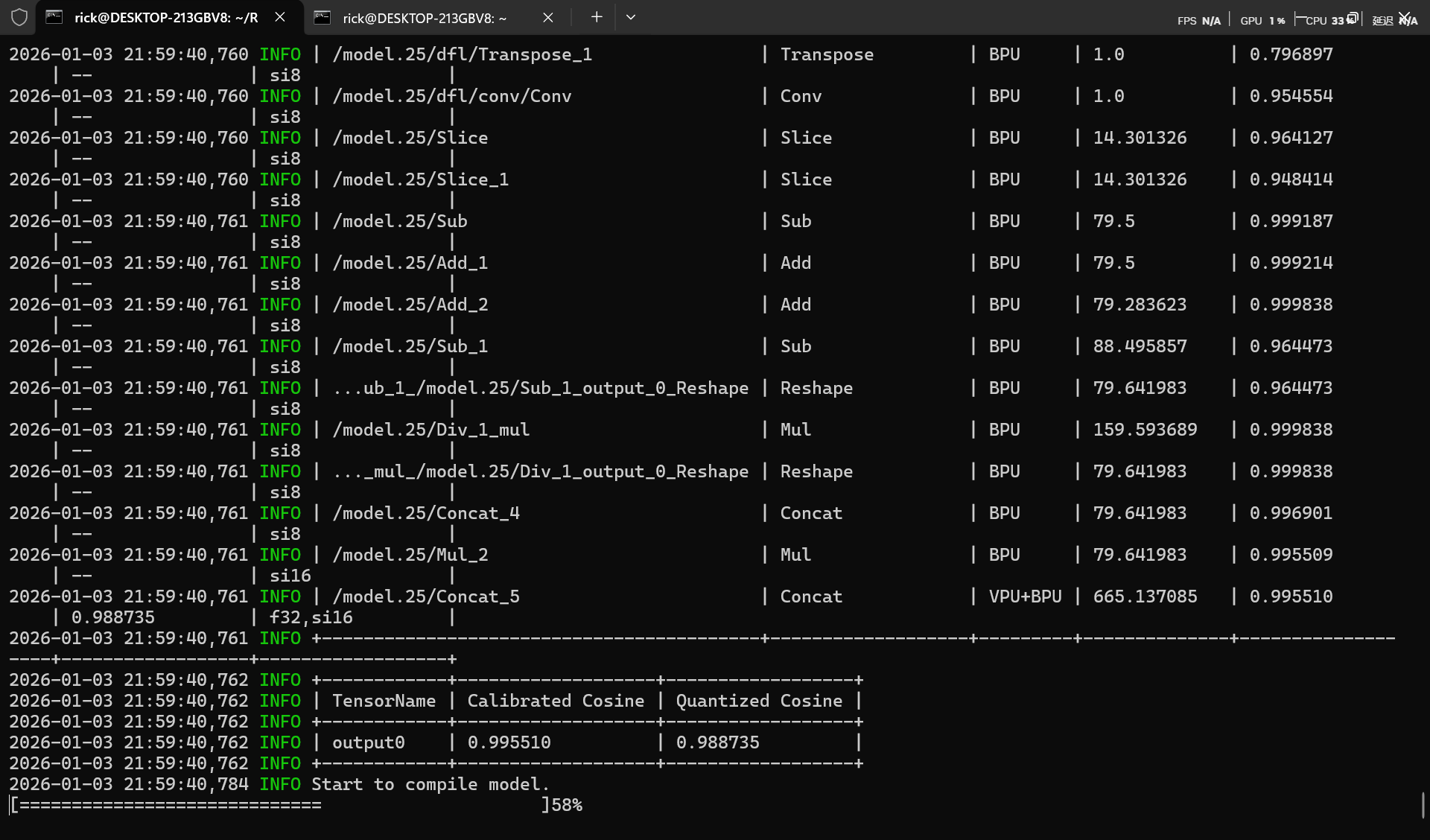
- Calibrated Cosine表示优化后模型(optimized_float_model.onnx)与校准后模型(calibrated_model.onnx)对应节点(Node)/输出Tensor(Output Tensor)的余弦相似度结果。
- Quantized Cosine表示优化后模型(optimized_float_model.onnx)与模型量化后生成的定点模型(quantized_model.bc)对应节点(Node)/输出Tensor(Output Tensor)的余弦相似度结果。
注意此处余弦相似度,一般情况需要大于95%,若出现30%等异常低值,请检查测试集生成是否正确(图像通道对应,归一化对应,图片质量)
量化进阶
官方示例位于开发板/app/cdev_demo/bpu/02_detection_sample/02_ultralytics_yolo11路径下,使用的默认coco模型结构如下
1 | 2026-01-04 15:21:09,745 INFO ############# Model input/output info ############# |
输入为MIPI 摄像头/ISP 输出的原始视频流 NV12 (YUV420sp)
输出为原始特征图。 Box: DFL 分布 (64通道),Cls: 分类概率
切其最后检测头的原因可能是,YOLO 的 Detect 头包含大量的 Transpose(维度变换)、Softmax(指数运算)和巨大的 Concat(拼接)。不适宜BPU结构运算而且数值极度敏感不适合量化。
查看官方模型
参考教程
万字长文,学妹吵着要学的RDKS100模型量化及部署,你确定不学? - SkyXZ - 博客园
官方示例猴子脚本
官方示例量化脚本
rdk_model_zoo_s/samples/Vision/Ultralytics_YOLO/x86/mapper.py at s100 · D-Robotics/rdk_model_zoo_s
官方示例量化配置yaml
为了保持与官方示例一致,我们查看官方模型
1 | hb_model_info yolo11n_detect_nashe_640x640_nv12.hbm |
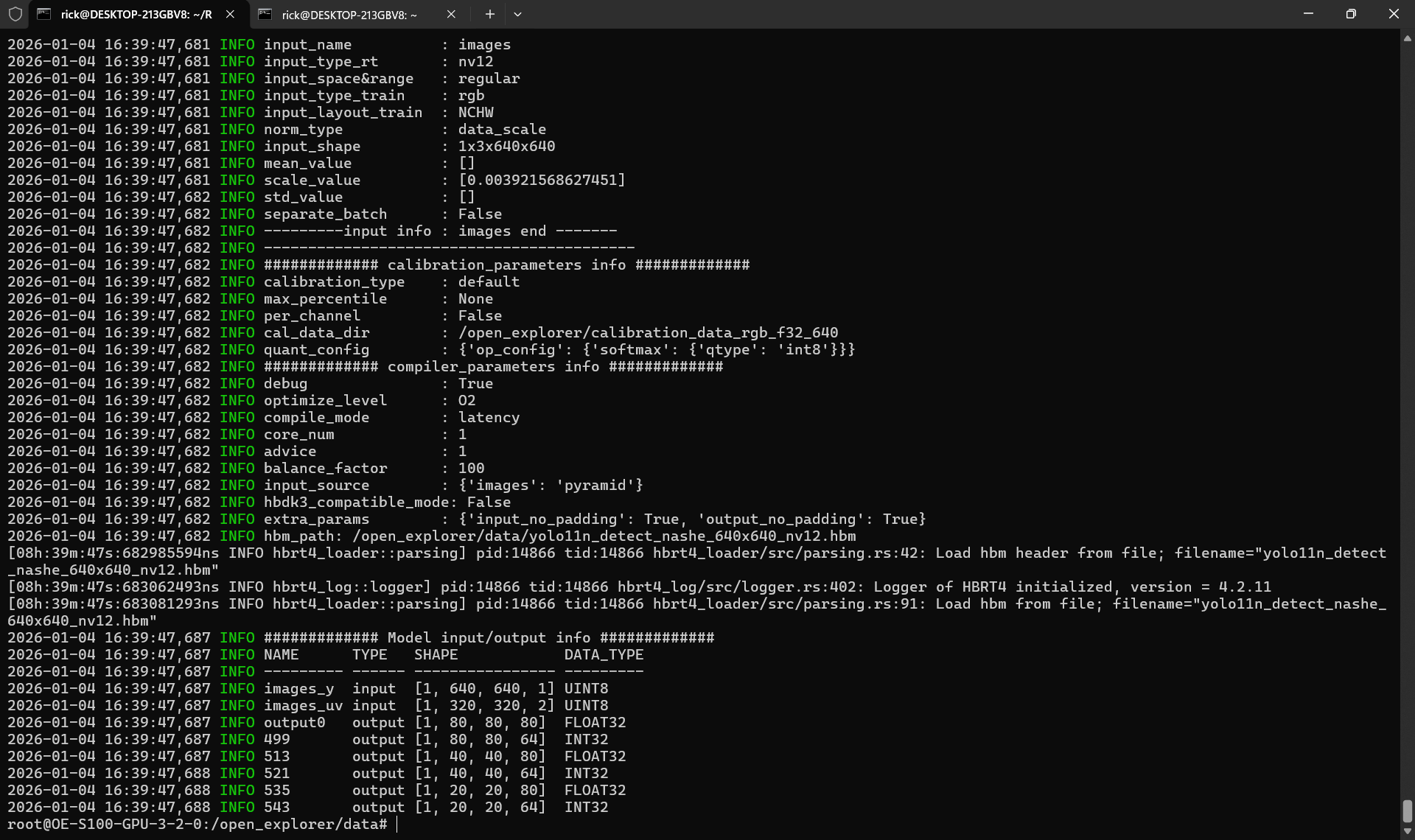
1 | 2026-01-04 16:39:47,687 INFO ############# Model input/output info ############# |
1 | sunrise@ubuntu:~/main/2026/test_hbm/build$ ./test_hbm_info /opt/hobot/model/s100/basic/yolo11n_detect_nashe_640x640_nv12.hbm |
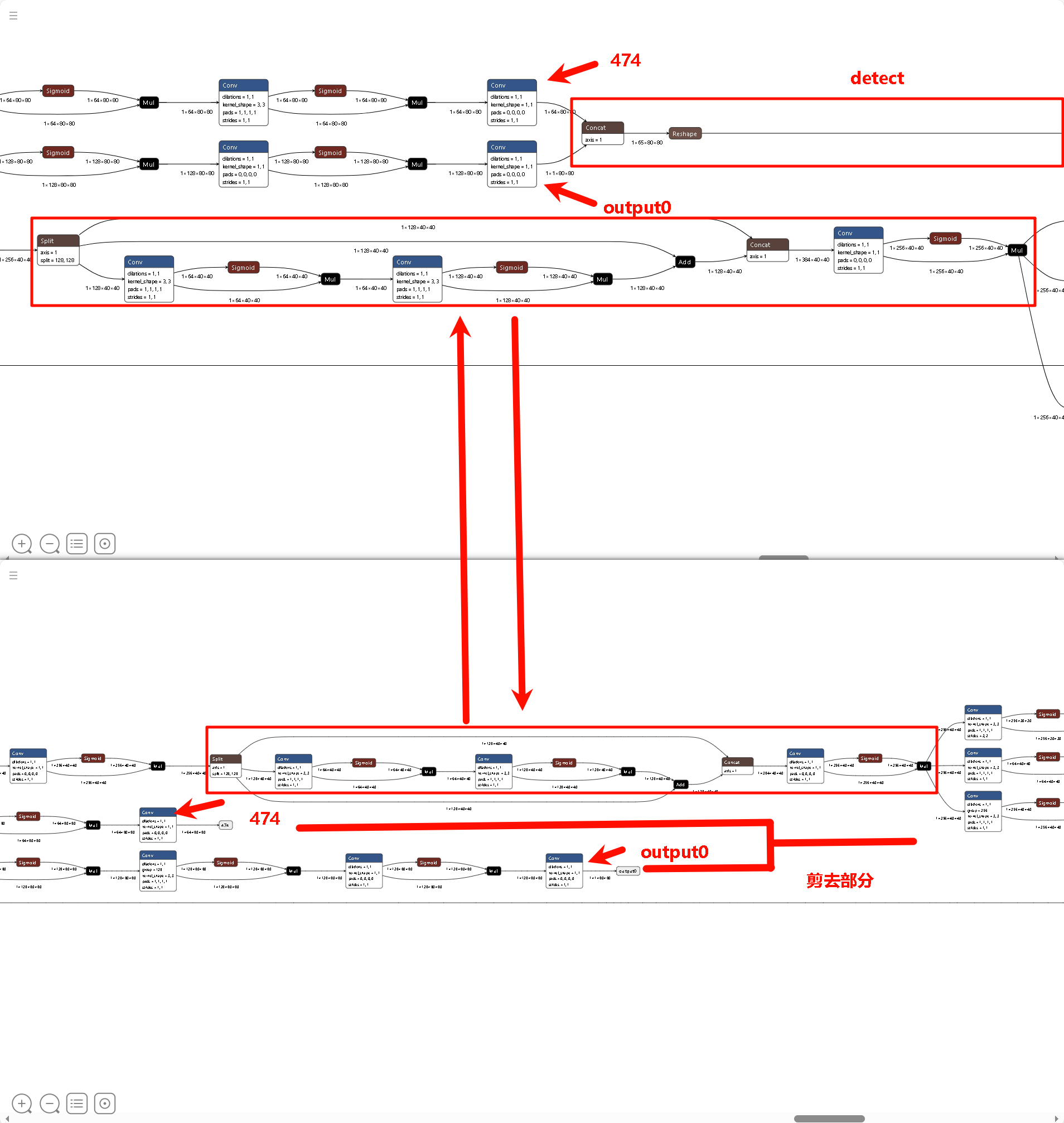
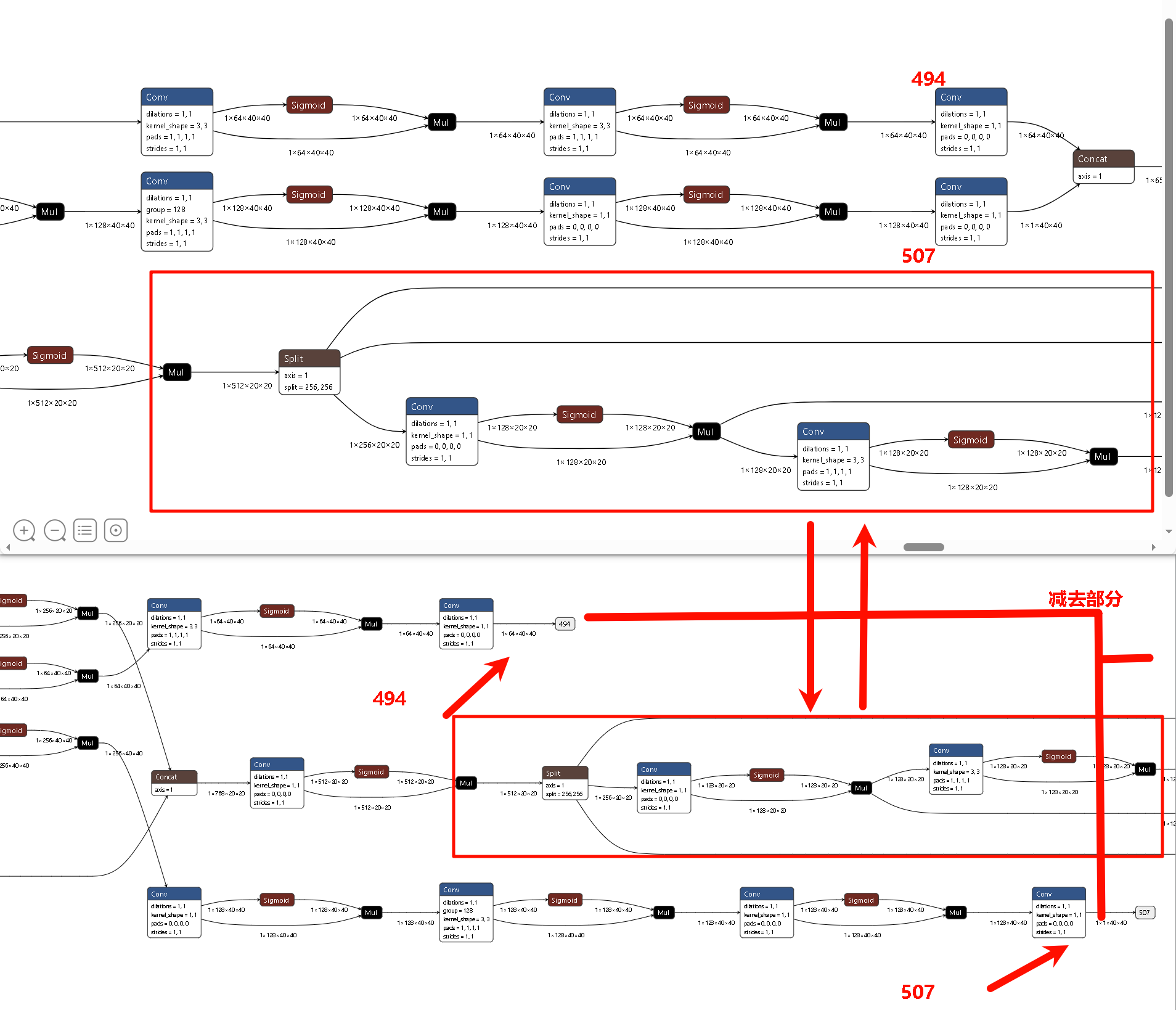
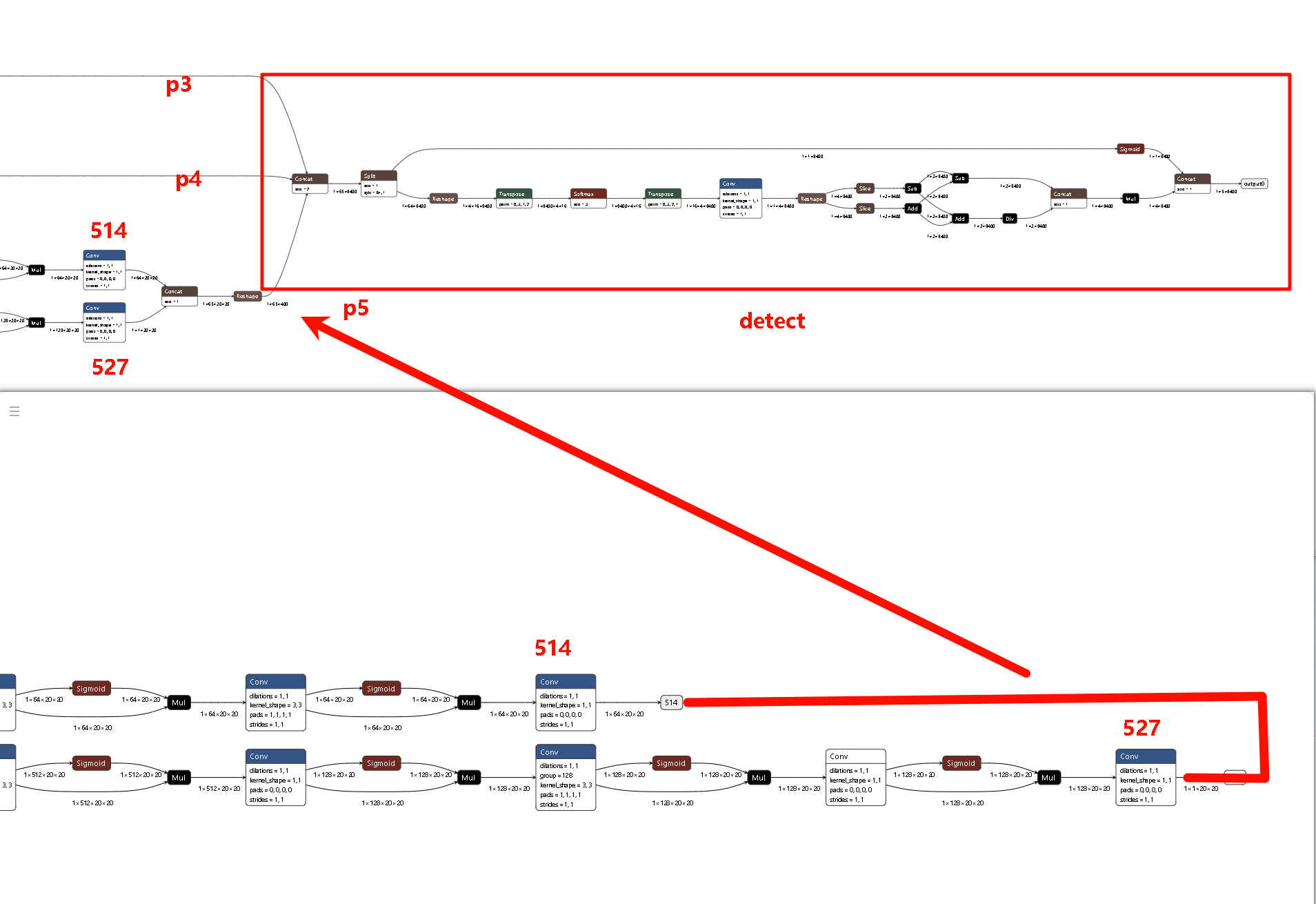
其去除Detect头,并且保留p3,p4,p5输出精度,由cpu进行后处理。所以在导出onnx模型基础上,我们需要手动添加一步去除detect头部分,以保证Detect精度。
1 | import sys |
P3 (Small / 80x80)
P4 (Medium / 40x40)
P5 (Large / 20x20)
工具链量化
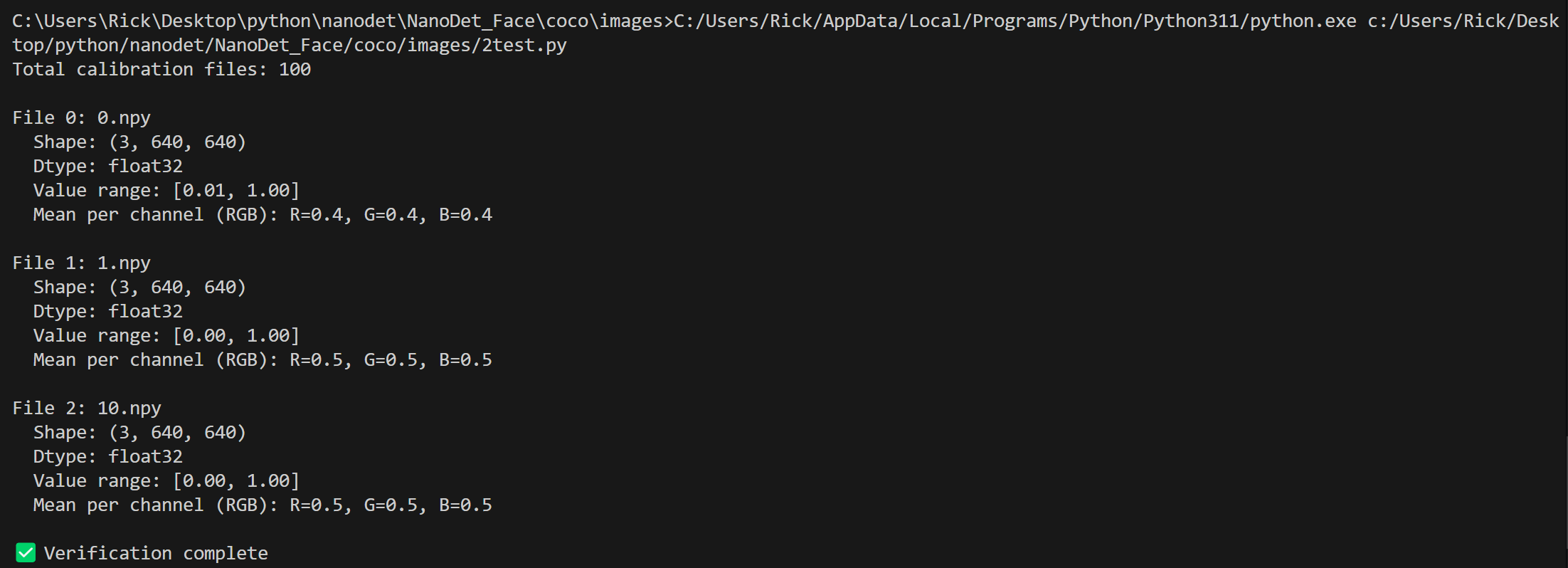
检查数据集
1 | import numpy as np |
1 | # 模型参数组 |

模型推理
 wechat
 Alipay